Documents
Documents are content records associated with projects. Use them for specifications, notes, reports, or any project-related text content.
Documents List
Navigate to Documents from the sidebar.
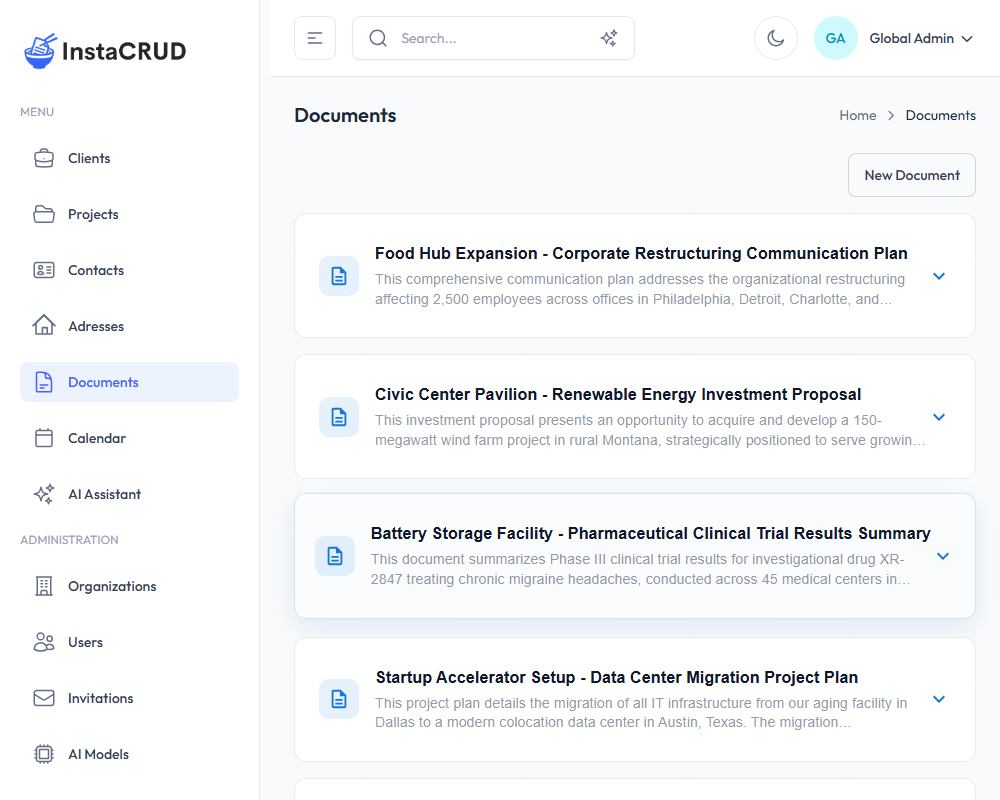
The documents list uses infinite scroll - as you scroll down, more documents load automatically.
The list displays:
- Name - Document name
- Code - Unique document identifier
- Project - The associated project
- Description - Brief description (if provided)
- Actions - Edit and delete options
Creating a New Document
- Click the New Document button
- Fill in the document details:
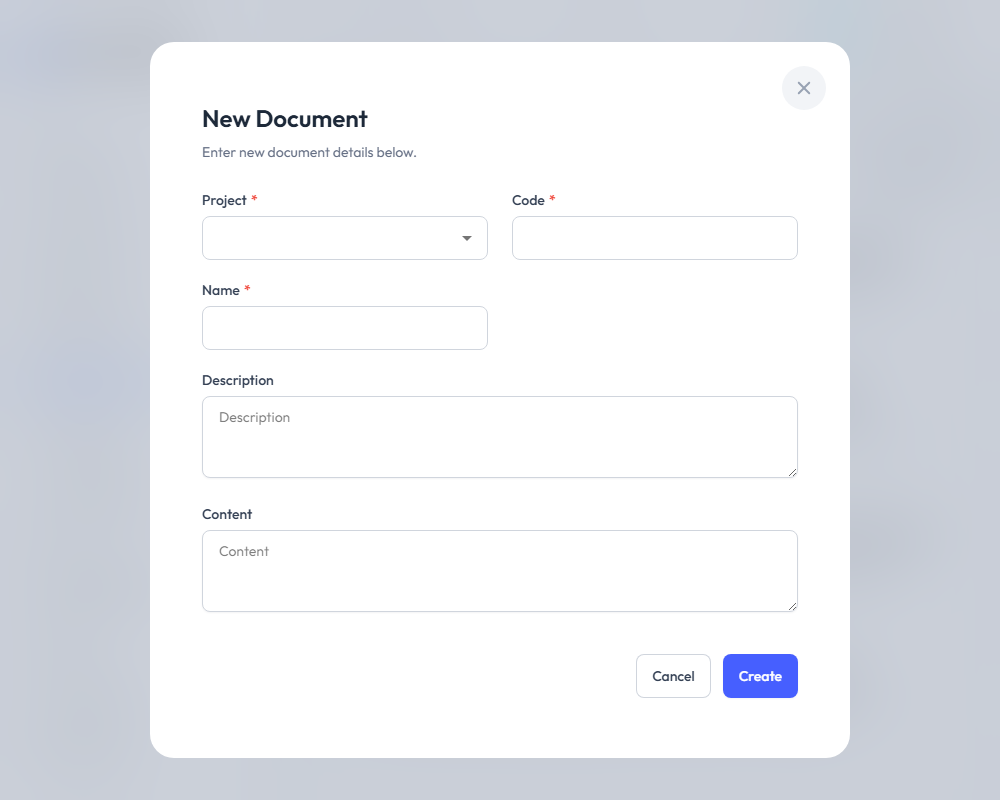
| Field | Required | Description |
|---|---|---|
| Project | Yes | Select the project this document belongs to |
| Code | Yes | A unique identifier (e.g., "DOC-001") |
| Name | Yes | Document title |
| Description | No | Brief summary of the document |
| Content | No | The main document content (supports long text) |
- Click Save to create the document
Document Detail View
Click on a document name to view its full content:
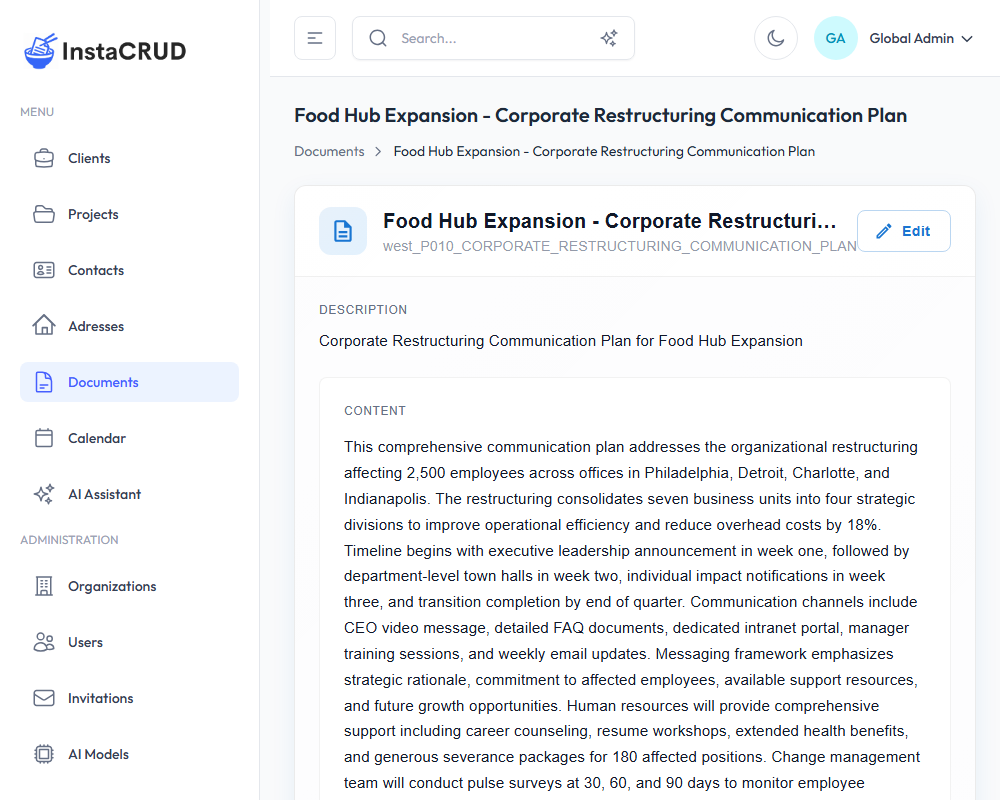
- All document fields
- Full content display
- Link to associated project
- Graphical representation of document semantics
- Edit and delete options
Editing Documents
- Click the Edit button in the detail view
- Modify any fields, including content
- Click Save to apply changes
Document Content
The Content field is a large text area that supports:
- Multi-paragraph text
- Technical specifications
- Meeting notes
- Requirements documentation
- Any long-form text content
Organizing Documents
By Project
- All documents must belong to a project
- View all documents for a project from the project detail page
Using Codes
- Create a consistent code system
- Examples: "REQ-001" for requirements, "MTG-001" for meeting notes
With Descriptions
- Use clear descriptions for quick identification
- Helps when searching for documents
Deleting Documents
- Navigate to the document detail view
- Click Delete
- Confirm the deletion
warning
Deleted documents cannot be recovered. Consider exporting important content before deletion.