Calendar
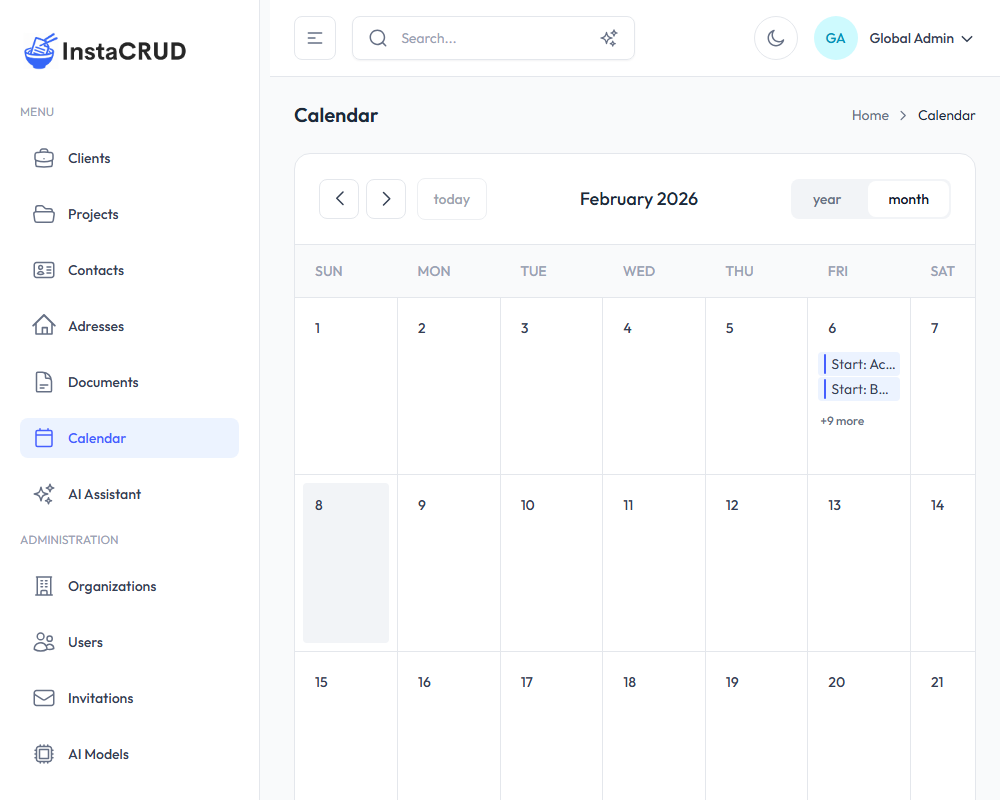
The Calendar provides a visual overview of events derived from your data entities. It displays dates from projects and other entities that have date fields.
How It Works
The calendar automatically displays events from entities in the system. Currently, it shows:
- Project Start Dates - Displayed as "Start: [Project Name]"
- Project End Dates - Displayed as "End: [Project Name]"
Events are generated automatically based on the date fields in your data - there is no manual event creation.
Calendar Views
The calendar supports two view options:
- Month View - Overview of the entire month (default)
- Year View - Overview of the entire year
Use the view selector buttons in the top-right corner to switch between views.
Navigation
- Use the arrow buttons to move between time periods
- Click Today to return to the current date
Working with Events
Viewing Events
Events appear on their respective dates. When a day has many events, they are collapsed and a "+X more" link appears. Click this link to see all events for that day.
Navigating to Entities
Click on any event to navigate directly to its source entity (e.g., clicking a project event takes you to that project's detail page).
Event Colors
Events are color-coded by entity type for easy identification. Project events appear in blue.